
Deploy to GitHub Pages
This is the moment of truth! Let’s put your project on the internet where anyone can see it.
Step 1: Verify Your Code is on GitHub
Section titled “Step 1: Verify Your Code is on GitHub”Let’s make sure everything is ready:
- Open GitHub Desktop
- Click on ‘Fetch Origin’
- Check that the Changes tab is empty (all changes committed)
If everything is in order, then you are ready to merge your changes to the main codebase.
Step 2: Create a Pull Request
Section titled “Step 2: Create a Pull Request”Now let’s move your local code to the main branch.
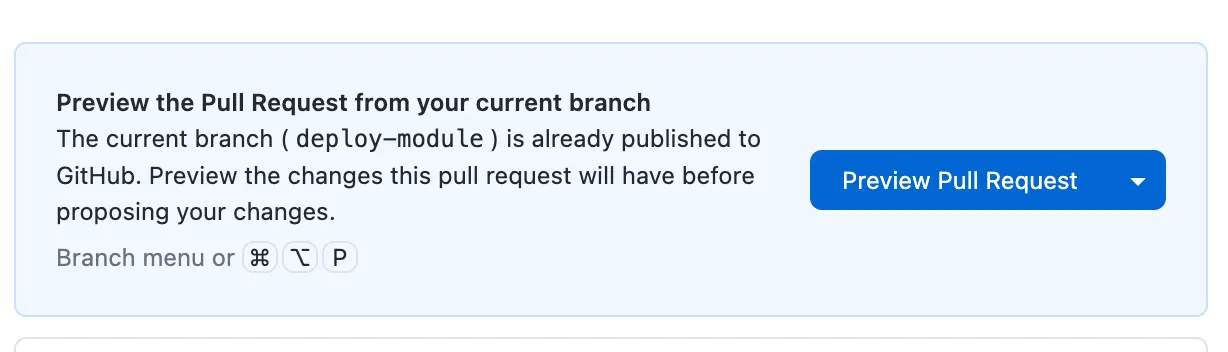
- Open GitHub Desktop
- There should be a button to ‘Preview Pull Request’
- Click on that and it will take you to Github.com.
- Fill in the description of the Pull Request and then click on ‘Create Pull Request’
- Github will run some checks and when they complete, you can click on the final ‘Merge Branch’ and complete the merger.
Step 3: Visit Your Live Site!
Section titled “Step 3: Visit Your Live Site!”GitHub usually needs a minute or two to build and deploy your site. Type it in your browser:
https://YOUR-USERNAME.github.io/YOUR-REPO-NAME/🎉 Congratulations! Your project is live on the internet!
Updating Your Site
Section titled “Updating Your Site”Now after seeing the site live on the internet, you may need to make changes.
It’s recommended to start a new chat in Claude code for every new change as Claude tends to create a new branch to work in. Incase you create a branch on Github Desktop, Claude Code will not be able to access it.
To make changes you can repeat the steps mentioned in ‘Making Changes’.
Troubleshooting
Section titled “Troubleshooting”Deployment delays
Section titled “Deployment delays”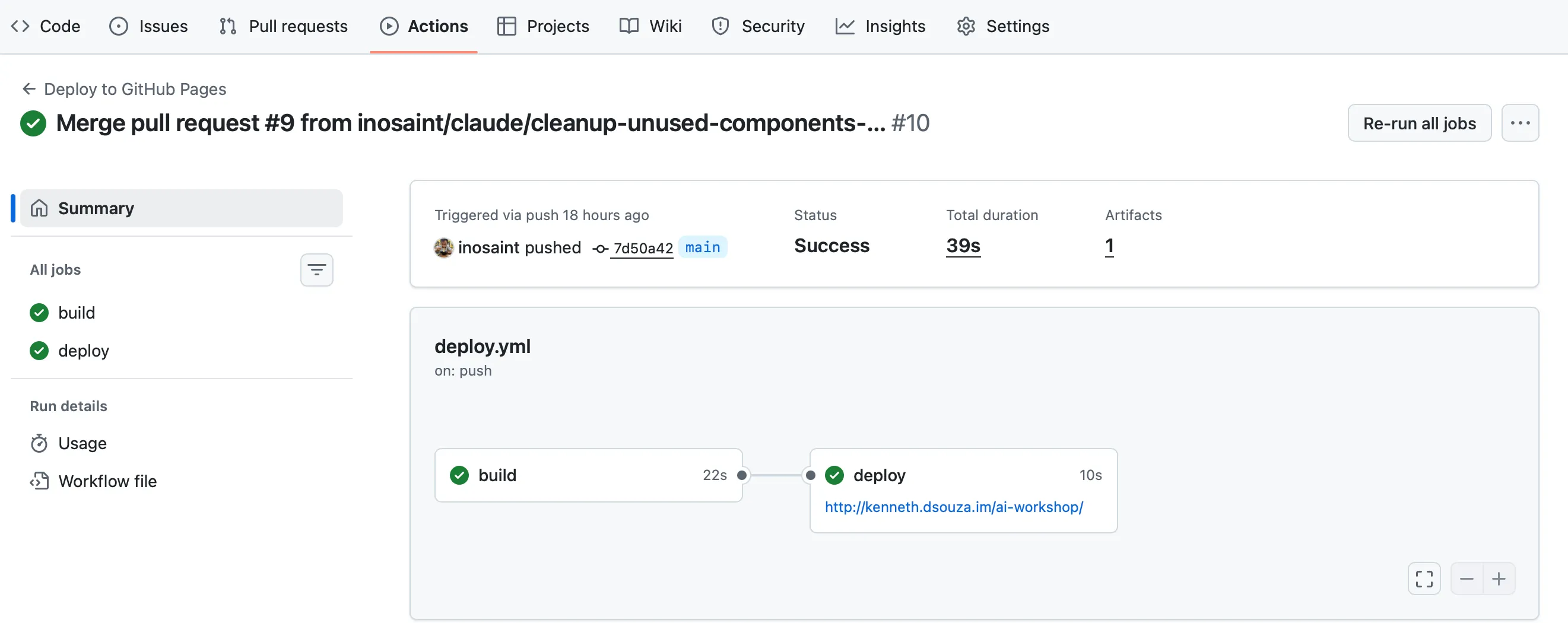
This is an optional step incase you need to debug.
- Check Actions tab - See if the deployment is still running
- Check if there are any errors pointed out.
404 Error / Page Not Found
Section titled “404 Error / Page Not Found”- Check the URL - Make sure you’re using the correct repository name
- Check your files - Make sure you have an
index.htmlfile in the root of your repository - Wait a bit - First deployment can take up to 10 minutes
Blank Page
Section titled “Blank Page”- Check browser console for errors (F12 → Console tab)
- Check file paths - Links to CSS/JS might need updating
- Case sensitivity -
Styles.cssis different fromstyles.css
Changes Not Showing
Section titled “Changes Not Showing”- Wait 2-5 minutes - GitHub Pages caches aggressively
- Hard refresh -
Ctrl + Shift + R(Windows) orCmd + Shift + R(Mac) - Check Actions tab - See if the deployment is still running
Your project is LIVE on the internet! You just deployed a real website. 🎉
What’s Next?
Section titled “What’s Next?”You’ve accomplished something amazing - going from zero to a deployed website!
Take a moment to appreciate how far you’ve come:
- ✅ Created a GitHub account
- ✅ Installed Claude Code
- ✅ Learned Git basics
- ✅ Built a real project with AI
- ✅ Tested it locally
- ✅ Deployed it to the internet
In the next sections, we’ll level up your skills by:
- Learning to use the Claude API directly
- Adding analytics to track visitors